![LOGO_ROUND (Blue) 2022 (72ppi).png]](https://help.sodasense.com/hs-fs/hubfs/LOGO_ROUND%20(Blue)%202022%20(72ppi).png?height=40&name=LOGO_ROUND%20(Blue)%202022%20(72ppi).png)
To change your accounts shipping address:
1. Go to sodasense.com/account/login
2. Enter your login credentials.
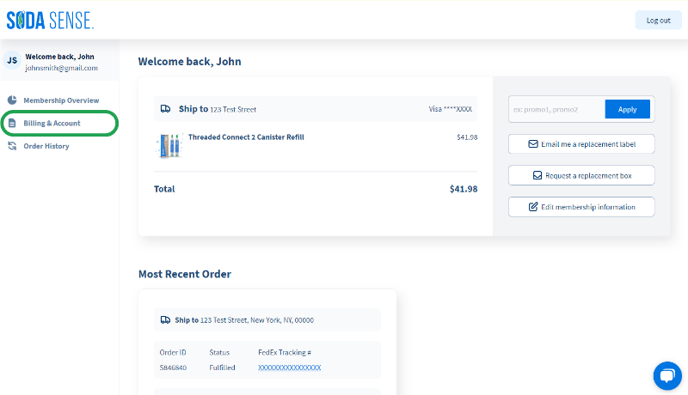
3. Once you are logged in, click the 'Billing & Account' button in the left hand column.
4. On the Billing & Account page, click the 'Edit' button within the billing address box.
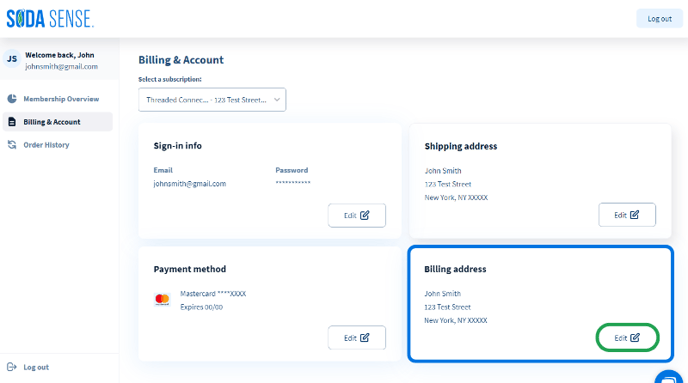
5. We will send an billing address update email to you, simply follow the instructions in the email to complete the update.
Need more help?
Contact our Customer Service team here.